Posts

Showing posts with the label web based file explorer

CentreStack New Web Interface for 2016

Image
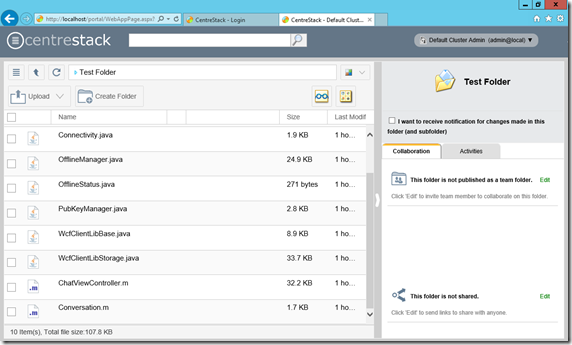
CentreStack is a private File Sync and Share solution for managed service provider and enterprise. Every year, CentreStack will have a new design for the web browser interface to keep up with the newest trend in technology, such as responsive design and web document editing. Specifically in this 2016 version of the web browser interface, you will see responsive design throughout all the UI element and the ability to modify word documents without leaving the web browser. You will also see reporting capability leveraging latest HTML5 feature as well.  

Gladinet Cloud Enterprise New Web Portal Design

Image
In the latest September release, the web portal had a new design in place for users to be more productive and at the same time,  more beautiful to look at.     Here is a YouTube video documenting the changes.

File Manager for Mobile Web Browser

Image
The web browser based file manager has been there in the Gladinet Cloud Enterprise since the very beginning. It looks like the one in the following picture.   For mobile devices such as iPhone, iPad or Android, there has been the native apps from day 1 as well. However, there may be users that don’t want to use the native mobile applications. Instead, they prefer the web browser interface without any installation. So now the mobile file manager interface is available too. Here is a video documenting the mobile web browser file manager interface.

New Look and Feel for 2015

Image
Every once in a while, we will improve  the web portal user interface. This time around, we improves the icons used in the web portal. For example, the folder type icons and file type icons are increased from 24x24 to 32x32. There are some other changes to the web portal too. Here you go, a quick video demonstrates the new web portal for the Gladinet Cloud Enterprise, the Enterprise File Sync and Share solution.

Different Kind of Folders on Gladinet Cloud

Image
When you log into Gladinet Cloud web portal, you will see your files and folders immediately, in a Windows Explorer-like interface. Once you tried all the Gladinet Cloud features, you may find different folder icons such a  list of icons below. You may be wondering what kind of folders each icon represent and what kind of features are available for each. Not All Folders Are Created Equal