Posts

Showing posts with the label EFSS

OpenStack EFSS (File Sync and Share) with Active Directory–Part III

Image
This article documents the integration with SwiftStack and per-user Active Directory account support both in the SwiftStack and Gladinet Cloud Enterprise (CentreStack). SwiftStack implements OpenStack Swift. It also integrates with Active Directory. In SwiftStack, you can turn on the LDAP authentication and also specify which LDAP Attribute will be used to identify the user. For example, UPN name or sAMAccount name are all good choices. In Gladinet Cloud Enterprise, it has Active Directory integration as well. Even more, it supports SwiftStack’s per-Active-Directory account management.

OpenStack EFSS (File Sync and Share) with Active Directory–Part II

Image
We discussed about OpenStack EFSS (File Sync and Share) support in this article . This article demonstrates the ability with SwiftStack OpenStack implementation and also demonstrates the ability for very big Active Directory Enterprise integration. For big enterprise, typically they have their own employee self-service portal, where employees will go to get product and services the Enterprise IT department provides. For this reason, the integration typically is done via API (Application Programming Interface). In this article, we demonstrates how to map a SwiftStack OpenStack Swift container to an Active Directory user using PowerShell.

Worker Node Load Balance

Image
Gladinet Cloud Enterprise is a file sync and share solution. When it comes to big enterprise or big user group, one worker node is not enough. The designed capacity of each worker node is around 5000 to 10,000 users per worker node. When multiple worker nodes exist in the same cluster, load balancing is required to fully take advantage of the multiple worker nodes. This video documents the two different ways to do load balancing and the related configuration settings.

Multiple Active Directories in One Single Tenant

Image
As part of a series of demo videos about active directory support in Gladinet Cloud Enterprise, a file sync and share solution for private enterprises, today’s video is about how to setup multiple active directories in a tenant. In the most cases, one active directory per tenant is enough. However, in banks, they typically keep multiple directories around and these directories can be from multiple isolated forests for historic reasons. So the question is, how do you make all the users from multiple directories all on board on the file sync and share solution? Here you go, the video demonstrates how to get it done. for more information, please visit http://www.gladinet.com and check the enterprise section.

Accessing SoftLayer Object Storage from Windows Desktop

Image
This video demonstrates accessing SoftLayer Object Storage from Windows Desktop. The SoftLayer Object Storage is mounted as a Windows Drive. In addition, local folders can be attached to SoftLayer Object Storage for two-way synchronization.

Online File Sharing Solution based on SoftLayer Object Storage

Image
SoftLayer Object Storage is based on OpenStack Swift. It is one kind of cloud storage services. As a cloud storage service, it is a basic building block to construct an online file sharing solution. This video demonstrates using IBM SoftLayer Object Storage, together with Gladinet Cloud Enterprise to form an online file sharing solution.

Access OpenStack Swift Files from Windows Phone

Image
This is part of the OpenStack Swift EFSS (Enterprise File Sync and Share) series of videos. This video demonstrates how to use Windows Phone (8, 8.1 and above) to access files and folders on OpenStack Swift Object Storage. For more information, please visit http://www.gladinet.com

Enterprise File Sync and Share based on SoftLayer Object Storage

Image
SoftLayer Object Storage is based on OpenStack Object Storage. For IBM customers who wants to have a enterprise file sync and share solution completely self-contained within SoftLayer infrastructure, they can setup SoftLayer virtual server running Gladinet Cloud Enterprise and connect to SoftLayer Object Storage as the backend storage. This video demonstrates how to setup an Enterprise File Sync and Share (EFSS) solution based on SoftLayer infrastructure and using SoftLayer Object Storage.

Enterprise File Sync and Share (EFSS) based on OpenStack Swift, With File Server Migration

Image
Gladinet Cloud Enterprise is an Enterprise File Sync and Share solution. One of the important use case is to migrate traditional Windows File Server to OpenStack Swift. This video demonstrates how to set up Gladinet Cloud Enterprise and the included File Server Agent. The File Server Agent software running on the Windows File Server can synchronize files and folders from local folder (network share) to OpenStack Swift Object Storage and vise versa. The end result is over time, the files and folders are available from both the local file server and the remote OpenStack Swift object storage.   For more information, go to www.gladinet.com and visit the enterprise section.

New Look and Feel for 2015

Image
Every once in a while, we will improve  the web portal user interface. This time around, we improves the icons used in the web portal. For example, the folder type icons and file type icons are increased from 24x24 to 32x32. There are some other changes to the web portal too. Here you go, a quick video demonstrates the new web portal for the Gladinet Cloud Enterprise, the Enterprise File Sync and Share solution.

Multiple Roles for the Same User

Image
Gladinet Cloud Enterprise is an Enterprise File Sync and Share solution. As it is used more and more in enterprise, it becomes imperative to delegate administrative tasks to different administrators or people. For example, you may want to have administrators that have read-only permissions to certain management scopes. You may also want to have some administrators take on a couple of management tasks but not all the management tasks. In the past, we introduced Role Manager that can create roles and assign the roles to users. When it was first introduced, there was a limitation that each user can only take on one role. Now with the Multiple-Role support, each user can take on different roles. This makes it easier to manage bigger File Sync and Share deployments. Create a Role First create a role under Management Console\User Manager\Role Manager and select the different operational tasks for the role created.

Turn OpenStack Swift into an Enterprise File Sync and Share Solution

Image
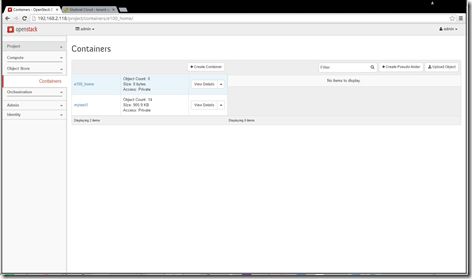
OpenStack Swift is used more and more in Enterprise. This article covers one of the key use case of OpenStack Swift, by turning it into an Enterprise File Sync and Share (EFSS) solution. There are three aspects of the EFSS solution that makes it Enterprise ready. (1) Active Directory Integration, and possibly cover multiple active directories or even multiple forests. (2) Scripting Interface to provision the service to end users. (3) Scale the solution up to support hundreds of thousands of users. In this article, we will cover the PowerShell scripting interface to provision the service to an end user in the Active Directory. At the end, we will show a video demo which covers the process from end to end.  Background Information We will use the PowerShell scripting interface to connect the following e100_home OpenStack Swift container to an active directory user e100@tsys.gladinet.com Below is an Active Directory user e100@tsys.gladinet.com . We will provision the File Sync...

OpenStack EFSS (Enterprise File Sync and Share) Solution with iOS Device

Image
When you have selected OpenStack Swift as your enterprise storage, you may be looking for an EFSS (Enterprise File Sync and Share) solution. As part of the EFSS solution, accessing files and folders from iOS devices such as iPhone or iPad is a must for the feature set. This video demonstrates using iOS device to access files and folders on the OpenStack as part of the EFSS solution.

Happy New Year 2015

Happy new year 2015! As we are in 2015 and look back to year 2014, Gladinet Cloud Enterprise made pretty big progress toward enterprise grade. It is becoming more and more of an enterprise file sync and share solution, driven by enterprises that had adopted the solution. Some enterprises that had adopted Gladinet Cloud Enterprise have more than 50,000 users that are active on the Gladinet Cloud Enterprise system. List of Major Changes in 2014 Here is a list of changes in 2014 that drives the product toward enterprise adoption Support AD forest (with multiple Active Directory) Auto client upgrade Pass enterprise security scan More Group Policy to control produce behavior Enhanced OpenStack support (more and more enterprise are using OpenStack) Enhance Audit Trace and File Change Log File Sharing with distribution list Enhance Single Server Scalability to 10,000 users per worker node Support DFS as backend storage Role based administration and Assign role to AD group Add ...

OpenStack Swift EFSS (File Sync and Share) with Mac Client

Image
OpenStack Swift is a good fit for private enterprise storage and enterprise file sync and share solution (EFSS). This video demonstrates using a Mac client to access files and folders in the file sync and share solution, while the back end storage coming from OpenStack Swift.   visit www.gladinet.com and follow the Enterprise or Service Provider link for more information.

OpenStack EFSS (File Sync and Share) with File Permission

Image
EFSS is about file sync and share. Sync is about move files from point to point so it can be shared later. File sharing is about collaboration. OpenStack Swift can be the backend storage service where the files stay. The Gladinet Cloud Enterprise is the user-facing front end providing the sync and share capability. In sharing and collaboration, one of the most required feature is permission control, meaning who can access what files and folders. This video demonstrates OpenStack EFSS solution with file permission control. Team Folder Team folder is like network share, in that you can assign read/write permission to different people. Folder Permission Folder permission is like ACL (Access Control List), that you can assign list/read/write/delete permission to individual folders.   For more details, visit http://www.gladinet.com and follow the Enterprise or Service Provider links.

OpenStack EFSS (File Sync and Share)–File Sharing Demo

Image
This session covers the OpenStack File Sync and Share solution. The storage service is provided by OpenStack Swift. The File Sync and Share Layer is provided by Gladinet Cloud Enterprise. In the video, it started by connecting the OpenStack Swift container to user’s home directory, and then upload some files to the cloud folders. After that, it demonstrates the file and folder sharing from web browser interface, windows client interface and from mobile client interface.

OpenStack EFSS (File Sync and Share) with Windows Client

Image
In today’s session, we will demonstrate the Windows client for the Enterprise Sync and Share solution based on OpenStack Swift. The windows client has two main features. One is the virtual drive in the Windows Explorer. The other is the ability to synchronize an existing local folder with OpenStack Swift containers. Check out the video below.

OpenStack EFSS (File Sync and Share) Solution with Active Directory

Image
The previous two sessions covers the OpenStack Swift based EFSS (Enterprise File Sync and Share) solution without the Active Directory integration. This video shows the same EFSS solution based on OpenStack Swift and Active Directory, together with a single-tenant Enterprise Edition of Gladinet Cloud Enterprise. Users from active directory has their home directories from OpenStack Swift containers and can access the files over web browser and desktop clients.

OpenStack EFSS Solution–Web Browser Interface

Image
We kicked off a series of OpenStack EFSS video demo and blog articles. Yesterday we started with a general overview of the EFSS (Enterprise Sync and Share) solution based on OpenStack Swift. Today’s session will focus more on the web browser interface. This video starts from the multi-tenant interface and going into creating a new tenant, and assign an OpenStack swift container to the tenant. After that, it covers the multi-user web browser interface about how each user access the files and folders. (Single Tenant Enterprise Edition is a special case of the Multi-Tenant edition) In the middle of the session, it reviews the team folder concept and how multiple users in the same company can share and collaboration on the team folder. At the end of the session, it also covers the peer-to-peer or point-to-point share. The peer to peer share can share files with guest users or users from other companies.