Posts

Showing posts with the label Azure Storage

How to Mirror Server Folders to Windows Azure

Image
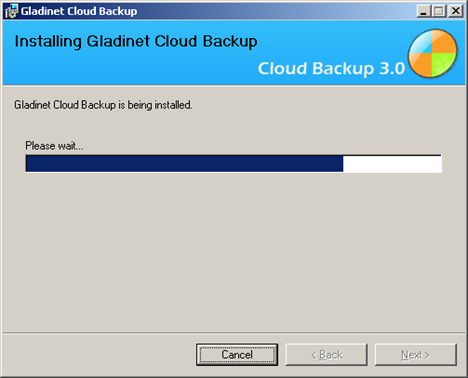
You may have several important folders on the windows server that you want to protect online. Also as part of the cloud adoption strategy, you need the near term protection turned into a long term cloud migration. With these goals, it makes sense to mirror these important folders into a cloud storage service such as Windows Azure Storage or Amazon S3. In the near term, it fulfills the off-site backup purpose. In the long run, you can migrate your storage to these cloud storage services since your data is there over time. This tutorial focuses on Windows Azure Storage and how to set it up so your folders are protected by Windows Azure. The steps are similar if you want to replace Windows Azure with Amazon S3 or Rackspace Cloud Files . The product that can get it done is Gladinet Cloud Backup . Gladinet Cloud Backup is packaged into two different products – the stand alone Cloud Backup or as an add-on to Gladinet Cloud Desktop. Cloud Backup is a Windows background service so it can m...


Use Gladinet Cloud Solutions with Windows Azure Storage Emulator

Image
The Windows Azure storage emulator provides local instances of the Blob, Queue, and Table services that are available in the Windows Azure. If you are building an application that uses storage services, you can test locally by using the storage emulator. Gladinet has full support for Windows Azure Blob Storage. Now for those of you that develop Azure based application using local emulator, you can use Gladinet Cloud Desktop to connect to Azure Emulator and map it as a local drive too. Step 1 – Setup Azure Storage Emulator First you will need to download Azure SDK and install it. After installation, you will have it in the Start Menu.

Snapshot Backup to Windows Azure Storage

Image
Windows Azure storage is getting more popular. In a quick Gladinet survey, for every 3 Amazon S3 users, there is 1 Windows Azure storage user now. This article will discuss ways to do snapshot backup to Windows Azure storage. With snapshot, everyday, you can have a snapshot of the folder content or the SQL server you want to backup. The snapshot could be a full snapshot or an incremental one. The snapshot backup feature is coming from the Gladinet Cloud Backup product. The Cloud Backup is also integrated into Cloud Desktop and CloudAFS as an add-on package. Basically you can use snapshot backup from any of the Gladinet products.

A Quick and Easy Backup Solution for Windows Azure Storage

Image
Windows Azure Storage is getting more popular and more and more Gladinet customers are using Azure Storage now. One of the primary use case for Windows Azure Storage is Online Backup. It is pretty cool to have your local documents and folders backup to Windows Azure, inside data centers run by Microsoft, a strong brand name that you can trust with your important data. This article will walk you through the new Gladinet Cloud Backup 3.0, a simple and yet complete backup solution for your Windows PC, Server and Workstations.

Leverage Azure Blob Storage for File Sync

Image
Windows Azure Blob Storage is one of the cloud storage service. When you have a Windows Azure Blob Storage account, there are many things you can do. You can map a network drive to it so for direct access from your desktop; you can backup files to it for off site access. Those were already available with Gladinet Cloud Suite 2.0. Today’s article will discuss another use case – leveraging Azure Blob Storage for file sync across multiple PCs. The idea is very simple, Windows Azure Storage is available anywhere you have an Internet access, you can use it as a facility and conduit to pass files back and forth between PCs. In Gladinet Cloud Desktop 3.0, this idea was put to practice and here are the steps to use it. First you will need to install Gladinet Cloud Desktop 3.0 and mount your Azure Blob Storage account.  

Rackspace Cloud Files vs. Amazon S3 vs. Azure

Image
As usual, when the support of a new cloud storage service provider is added to the Gladinet platform, we will do basic speed test against supported service providers to see how they compare to each other. This time we will compare Rackspace Cloud Files with Amazon S3 and Windows Azure Blob Storage. The Test Gladinet Cloud Desktop is used for the test. Cloud Files, Amazon S3 and Azure storage accounts are mounted into Windows Explorer as virtual folders.

Windows Azure Storage Desktop Integration

Image
When you hear of Windows Azure Storage , you may be thinking it is a developer’s storage. First of all, you may see it in action from Visual Studio 2010. Second, you may be hearing it together with a geeky term – Azure Blob Storage. Since you are not a developer, you dismiss it and walk on. Now wait a second; clear your mind;  picture Windows Azure Storage as an external drive, offsite hosted by Microsoft, with drag and drop integration from Windows Explorer, would you still ignore? After all, Windows Azure Storage is just one of the many cloud storage, such as Amazon S3, Google Storage for Developer, AT&T Synaptic Storage, Rackspace CloudFiles and so on. As soon as the Windows Azure Storage can be integrated to your desktop, you can put it to use with familiar Windows user experience.

Offsite Backup to Windows Azure Storage

Image
What are the most desired features for offsite backup to Windows Azure? Maybe Backup Exec with the ability to backup to Windows Azure Storage. For this purpose, you can use Gladinet CloudAFS as a CIFS gateway for Backup Exec. The combination is a high end solution. What is the most basic feature for offsite backup to Windows Azure? Maybe an ad-hoc or scheduled drag and drop from local documents to Windows Azure storage for a second copy? For this purpose, you can use Gladinet Cloud Desktop as a desktop tool. This is an entry level solution. Now we will talk about an offsite backup solution to Windows Azure storage that doesn’t require you to buy Backup Exec or do ad-hoc work. The solution will create full and incremental snapshots of local documents and save them to Windows Azure Storage. The solution can work with active documents through volume shadow copy services. The solution can work with SQL Server, Exchange Server and other system states. It is a turnkey offsite backup s...

Amazon or Azure

Image
In a couple of years, Amazon and Azure in Cloud Platform and Services could be like Coke and Pepsi in soft drinks. With the launch of Amazon S3 in March 2006 and  Amazon EC2 in Aug 2006, Amazon publicized the “Cloud Services” early that it has a significant lead over its peers. On the other hand, we have seen time and time again how Microsoft take a lead from behind. It is not clear who will be the leader in a couple of years when Amazon has the leader role now. When you look at customers in a given product category, there seem to be two kinds of people. There are those who want to buy from the leader and there are those who don’t want to buy from the leader. A potential No.2 has to appeal to the latter group. Quote:The 22 Immutable Laws of Marketing So what are the differences that Windows Azure has that appeal to the latter group?

Extend IT Infrastructure with Azure Storage

Image
Windows Azure™ is a cloud services operating system that serves as the development, service hosting and service management environment for the Windows Azure platform. Windows Azure provides developers with on-demand compute and storage to host, scale, and manage web applications on the internet through Microsoft® datacenters. - Quote Windows Azure Web Site How about the idea of outsourcing your IT’s expanding storage need to Microsoft? This article will talk about different stages you can start experience Azure storage bit by bit.

Background Backup to Windows Azure Storage

Image
You have important files on your computer, sometimes they are in-use, sometimes not. What if there is a Windows Service running in the background, continue to monitor the folders and files and back them up offsite to Windows Azure Storage ? A month later, you may find yourself looking for old snapshots and happily found it on Windows Azure Blob Storage . The file could be outlook pst file, could be an open project file or could be a running SQL server data files. It could also be Windows System State, registry or other key system files. As long as you keep the computer running, you can log off and walk away and the backup service is still doing its work, helping you secure your important files to Windows Azure Storage? Introducing Gladinet Cloud Backup!

A Secure Network Drive for Windows Azure Blob Storage

Image
Windows Azure Platform has been released since Feb 2010. Azure Blob Storage is part of the offering and it provides good online storage service. So how to easily copy data in and out of Azure Blob Storage ? How to do it securely with SSL and AES encryptions for your files? This article talks about how to setup a AES encrypted network drive to Windows Azure Blob Storage.

Manage Azure Web Pages From Your Desktop

Image
You can store your web pages in Windows Azure Blob storage. After that, you can map a DNS CNAME record to your Azure Blob storage endpoint URL so your web pages become available in a web browser. It is a good way to construct a web site without the fixed hosting cost. It is also a good way to service important documents through the Azure CDN(Content Delivery Network). This tutorial describes an easy way to manage your Azure web pages directly from your Windows Explorer.

How to Access Windows Azure Storage using CIFS

Image
  Windows Azure as a cloud service platform has gone commercial since January this year. Azure Storage is one of the key offering, providing pay-as-you-go cloud storage for your organization. Thinking about how to best leverage the Azure offering for your company? Being faced with the challenge of providing access to Azure Storage for a group of Active Directory users? Or perhaps your existing file server needs to be upgraded or replaced. In either case, attaching Azure Blob Storage to your file server and publishing it to your user groups can address these issues. Gladinet CloudAFS (Cloud Attached File Server) allows you to do just that. It also gives users the ability to access the attached, published cloud storage using CIFS. Here’s how:

Secure Backup to Windows Azure Blob Storage

Image
Perhaps you have considered backing up your data to Windows Azure , but wondered what assurance you have that your data will be secure when backed up online? With the introduction of AES 256-bit encryption for files backed up to Windows Azure, Gladinet has an answer for you: The system encrypts your files before saving them on the Azure servers in their encrypted form. Using Gladinet Cloud Desktop , First you would need to map Windows Azure Blob Storage as a network drive .

Here Comes Another Azure Drive

Image
I have been using Gladinet Cloud Desktop to map a network drive to the Windows Azure Blob Storage , backing up documents, moving files from PC to PC. The Azure storage looks to me just like another network share on the LAN. If you ask me, where is your Azure Drive? I would point to the Windows Explorer on my local PC.

Windows Azure Storage vs. Google Storage

Image
So much happened this month (January 2010) for the cloud storage world. First was the Windows Azure Platform went from public preview to full production. Second was Google Docs opened up  for any file type upload/download, effectively making it a GDrive in the cloud. How would these affect you? This article will compare the two cloud storage offerings from price, speed, usability, service level agreement and to developer support.

If you know C#, you know Windows Azure Storage

Image
I have been using Gladinet Cloud Desktop to manage files on the Azure Blob Storage for a while now. It has a drive letter, accessible from Windows Explorer and it works just like another network drive on my PC. However, just like when you are driving a car on a daily basis but sometimes still curious about what is under the hood and check the oil level on weekends, I am curious about how Azure Storage works.

Migrating Data from Amazon S3 to Azure

Image
Windows Azure enables the hosting of web applications in Microsoft data centers on a scalable and highly available platform. To do so, Microsoft has provided a set of services aimed at making it easier for developers to build applications that scale and elastically utilize physical or logical resources in the cloud. They have also provided a lot of value to lure customers away from services like Amazon S3 . Depending on usage patterns, storage cost is similar on Azure and is also free for the first 8 months ; the C# API and dev studio integration are convenient and easy to use; Azure was built with security in mind and, last but not least, it’s really fast. But what if you’d like to enjoy the benefits of becoming an Azure blob storage user without writing any code? What if you’ve already stored terabytes of information with another provider, like Amazon S3? Is there an out of box solution that can help? As you might guess from the boldness of the question, the answer is yes.

Free Windows Azure Storage

Image
As I am upgrading my Windows Azure account from CTP to production mode, I noticed that Microsoft provides great introductory offers for Windows Azure Storage. (A) 500M free storage for everyone